I spend most of my week working on my own. I think that this is one of the main challenges for any kind of freelancer, at times it can become quite tedious and boring. To get over this I tend to listen to music or watch tv progams on my second screen.
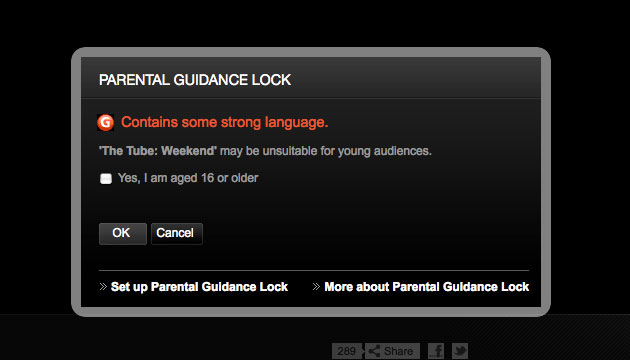
The parental controls on the iplayer make me laugh. Is there really any point to having them on there? It’s not something I know much about, but I do know that if I wasn’t 16 and I wanted to watch the program I would still click the box. It seems a bit pointless.
So much for an early Christmas present.. I’ve just been to the Post Office to collect a parcel that couldn’t be delivered this week. I thought it was going to be an early Christmas present. It wasn’t.. it was a parcel from Google.
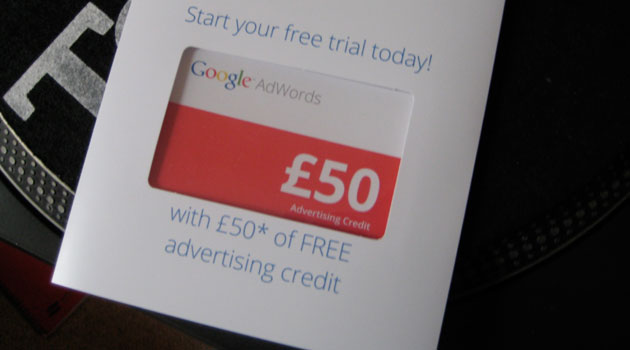
On the plus side though.. I have got a box full of £50 adwords vouchers that I can give out to people who are looking at creating a new Google AdWords account.
If you’d like one or if you have any questions about them you can get in touch through my contact form or by leaving a comment on this blog post.
I spend about an hour every day reading blogs about online marketing and search engine optimisation. With an area like this which evolves and changes so quickly it’s the only way to stay up to date with new ways to promote websites online.
It’s funny though.. With such a wealth of how to guides and general advice on what to do/avoid, watching this video on YouTube this morning made me laugh.
Most guides to optimisaing videos for YouTube will tell you things like:
use a descriptive and keyword rich title for your video
add a useful description and make sure that is keyword rich too
add relevant tags
The list could go on for a fair bit more.. but the point is. This video has followed no such guide like this.. and most of the really popular videos on youtube dont either. Just looking at this example:
The video title is “2525835985255_44597.mp4″ – like one of the comments on the video says “I am so glad I searched 2525835985255_44597.mp4 – Now my life is complete.”
The description reads “Not sure” – that really adds context and relevance!
The tags that have been used are “ducks”, “unsure”, “Why”, and “WTF” – they aren’t even ducks.. they’re geese.
At the moment, it’s had over 110,000 views in 4 days. That is a lot more than any of the videos I’ve ever put on YouTube. I think it shows: there is a stronger correlation between quality, funny or interesting content and more views than there is between optimising content and views. Optimising content will lead to more views, but the key effort should be put in before or during the video production process, not afterwards.
If you are running a Google Awords campaign it makes sense to start measuring conversions using the conversion tracking code. It something so simple to implement and it provides very insightful information, yet surprisingly many people don’t use it – often because they lack the technical ability to implement it.
If your site has been built using SilverStripe and your contact page uses the User Forms module, then this tutorial is for you!
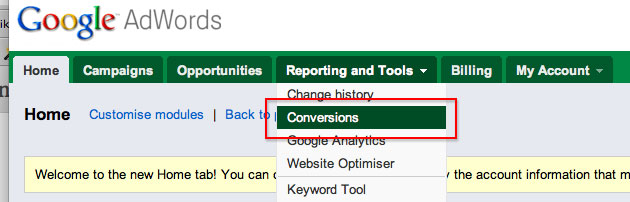
The first thing to do is create the grab the tracking code from your adwords account:
It is not possible to simply drop the code into the WYSIWYG editor. Looking through the forum and various sites, it seems that many people have tried to add the conversion code after the “on completion” message which is displayed to users after they have submitted an enquiry. The TinyMCE editor does not recognise the script tags used in the tracking code and will automatically delete most of it out – this will cause display errors on the page and also stop the tracking code from working correctly.If you have tried that, you will have first hand experience of this!
Adwords Tracking Code to the User Forms Module
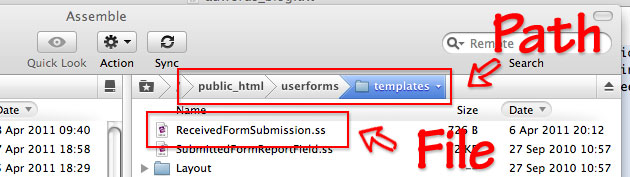
The easiest and simplest way of adding the code is to drop it into the “ReceivedFormSubmission.ss” file
The file can be found here: userforms > templates > ReceivedFormSubmission.ss
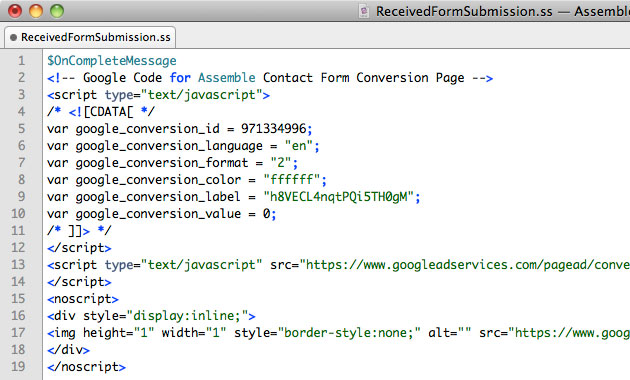
When you open the file, it contains just one line of code – this is the command to call in the on completion message that you specify from within the CMS. By dropping in the conversion code, it will be inserted just after the message to your users.
After you have inserted the code, upload the file and then flush the cache and then you can start putting through some tests to check that its all working correctly.